How it works
From install to night shift in under two minutes.
Night Crew keeps your Mac awake only while Claude Code, Codex, Cursor or Gemini CLI is working, even with the lid closed, then lets it sleep. No Terminal, no config files: it finds the agents on your Mac, asks once, and gets out of the way.
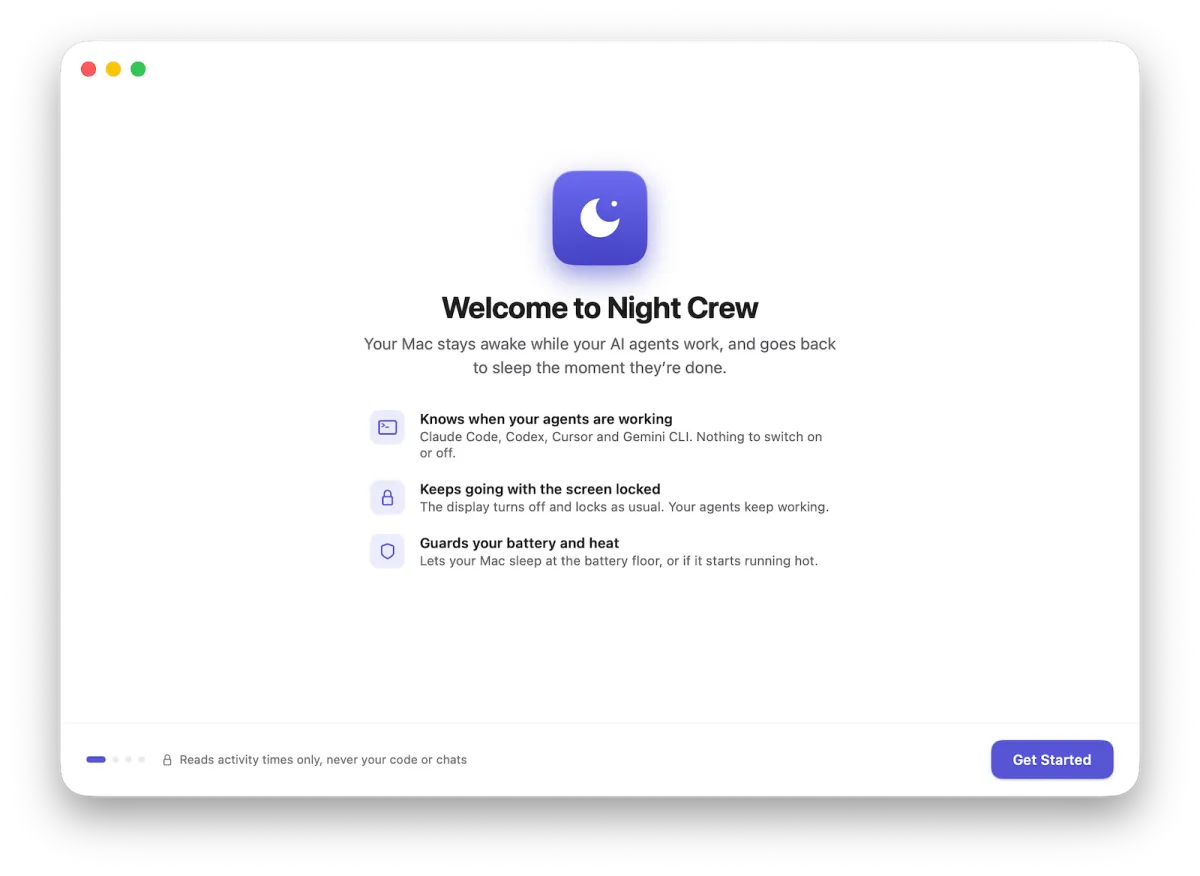
01 — Open
A moon moves into your menu bar.
Night Crew is a menu bar app, signed and notarized by Apple. Before it touches anything, it tells you the deal: It never keeps your prompts, your code or chat text.
02 — Detect
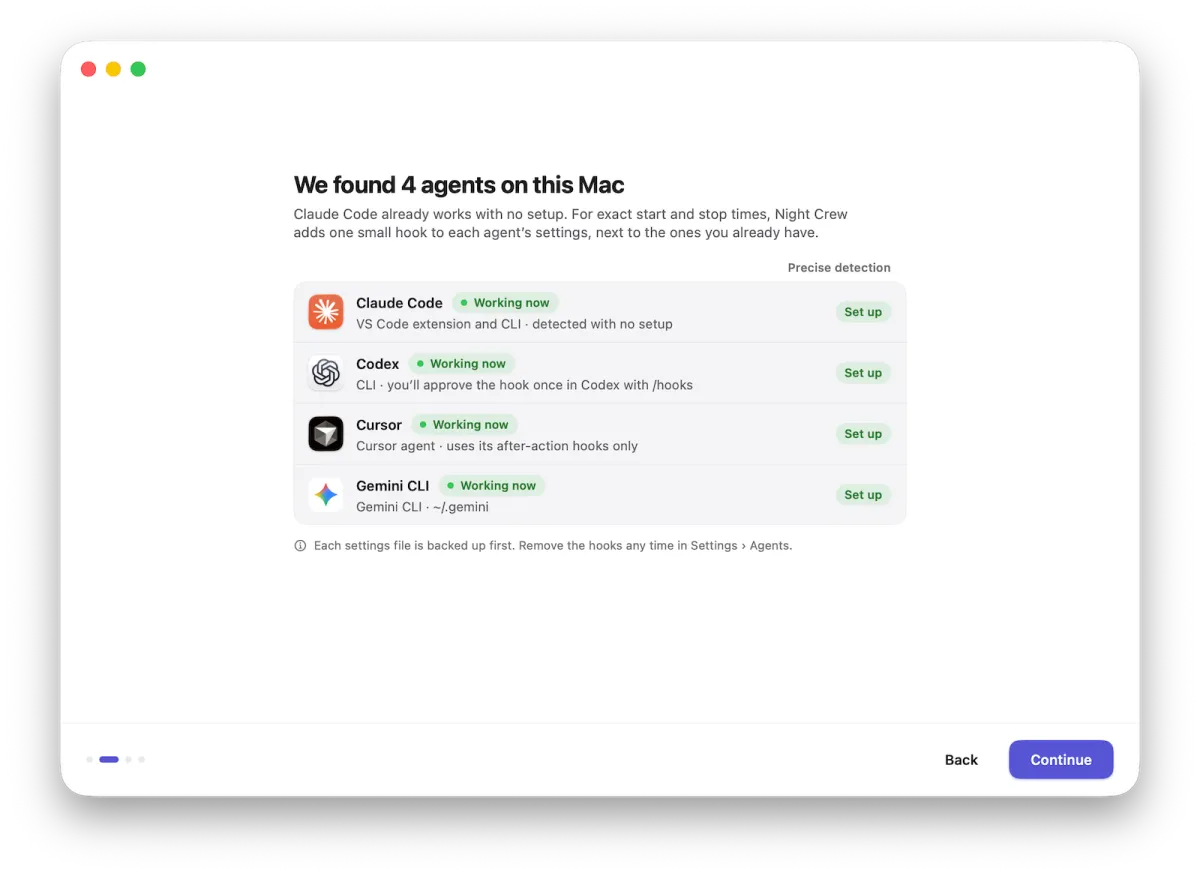
It finds your agents on its own.
Claude Code works with no setup at all. For exact start and stop times, Night Crew adds one small hook to each agent's settings, next to the ones you already have.
Every settings file is backed up before any change, and Settings › Agents shows a status for each agent. Remove every hook with one click and a confirm, any time.
03 — Lid mode · optional
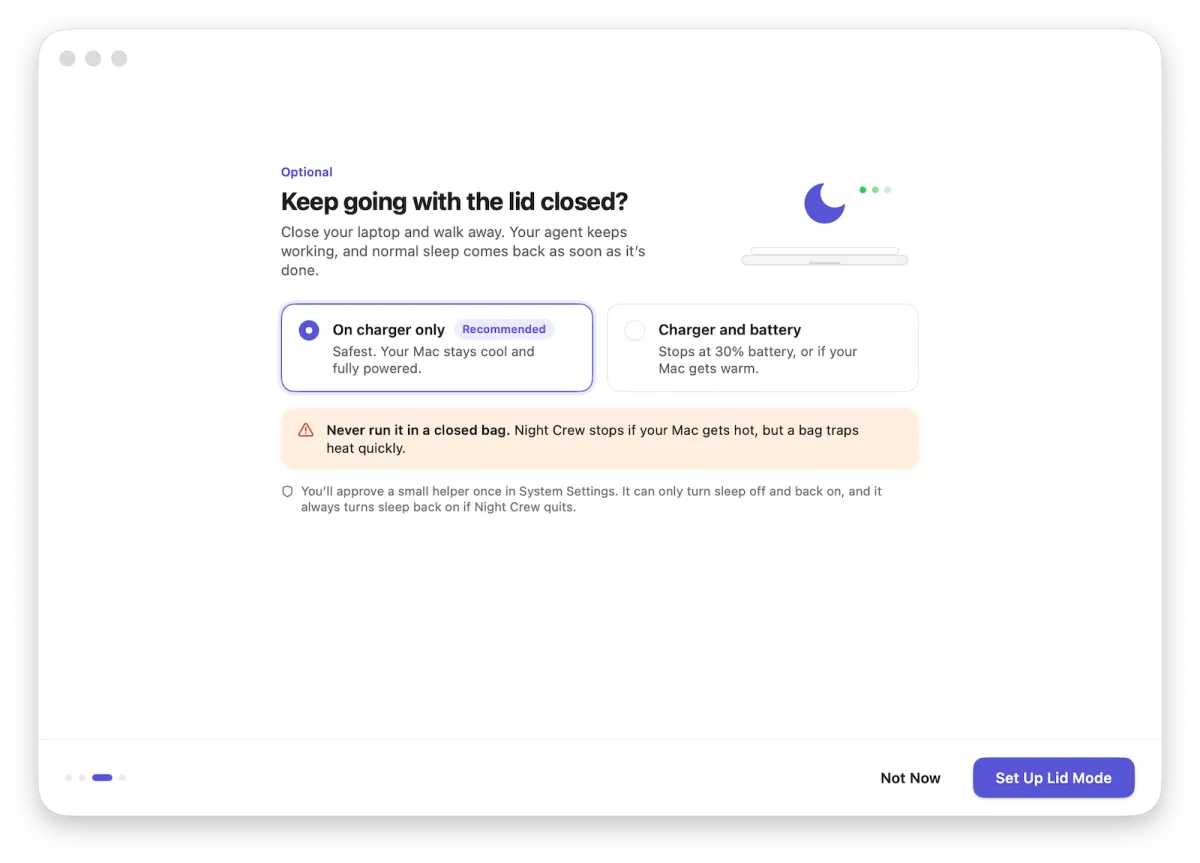
Decide what happens when the lid closes.
Keep working on the charger only, the recommended default, or on battery too, with its own floor. You approve a small helper once in System Settings, and it can only turn sleep off and back on.
04 — Done
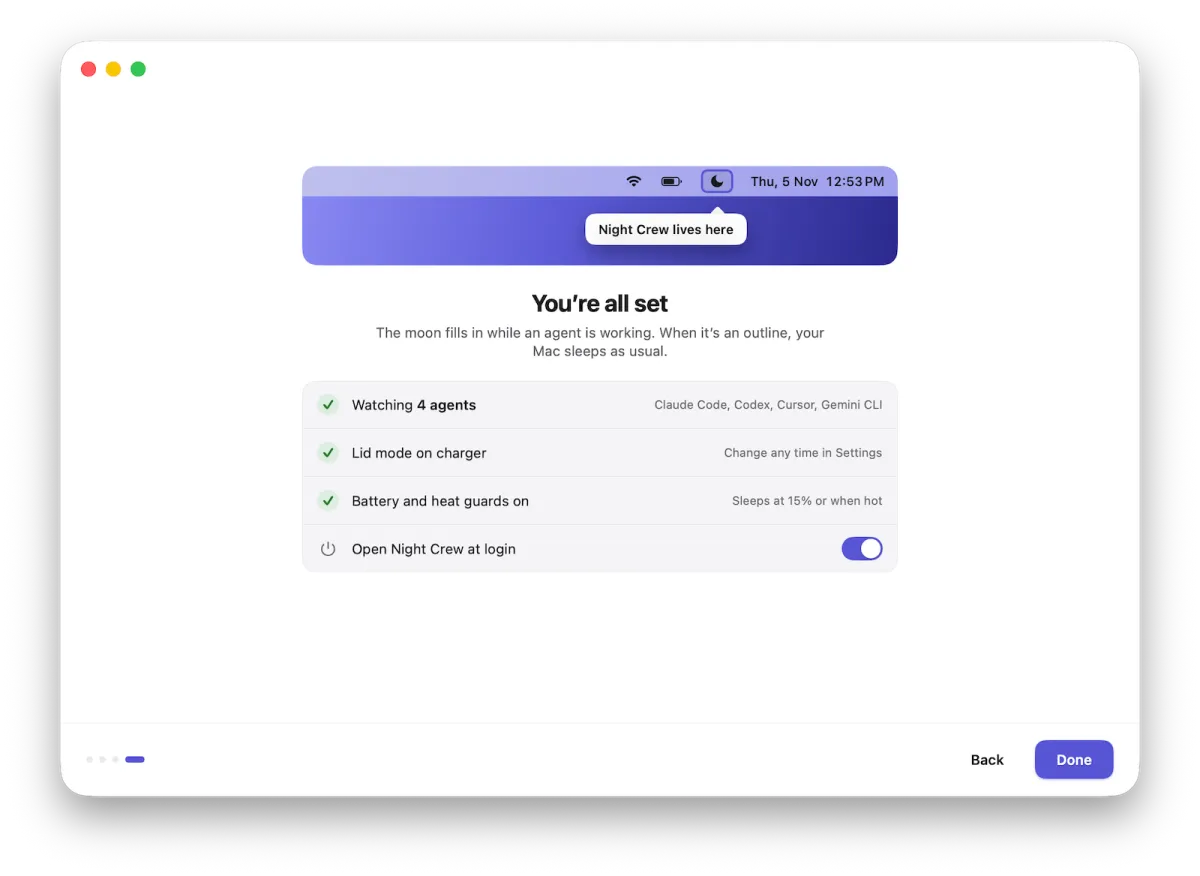
The moon does the talking.
Filled in: an agent is working and the Mac stays up. An outline: your Mac sleeps exactly as it always did.
Claude Code is working in api-server.


Under the hood
Hooks you can see, check and undo.
Nothing hidden, nothing clever behind your back. The Agents screen shows exactly where each hook lives and whether it’s reporting.

A status per agent in Settings › Agents.
See at a glance that each hook is reporting, and how long the agent has been working.
Backups before every change.
Each settings file is copied first. “Remove all hooks” puts every agent’s settings back the way they were.
Only what it needs.
Night Crew keeps only what tells it an agent is working: event names and times, session IDs, project folder names and scheduled-run times. It never keeps your prompts, your code or chat text.
Lid mode
Closed lid, open questions, answered.
A normal app can’t stop lid sleep, so Night Crew uses a small helper you approve once in System Settings. It can do exactly two things: turn sleep off, and turn it back on.
By default it works on the charger only. Allow battery and it stops at its own floor, 30% by default, or the moment your Mac gets warm: in lid mode the heat guard is always on. If Night Crew quits or crashes, normal sleep comes back on its own.
Never run it in a closed bag. Night Crew stops if your Mac gets hot, but a bag traps heat quickly.

The journal
Every decision, on the record.
Why did it sleep at 1:31 AM? Why did it stay up through lunch? The journal keeps 14 days of every sleep and wake, each with its reason: heat, battery, lid, idle or an agent. Your activity history stays for 90 days, and you can choose anywhere from 7 to 365.
When a sleep, a guard stop or a restart looks wrong, its “Was this wrong?” link pre-fills a problem report around that exact moment.

When something’s off
You see everything before it leaves your Mac.
“Report a Problem” builds a diagnostics bundle, the last 72 hours of the journal and the Mac’s power log, and shows you a full preview first.
Project names are masked by default. Prompts, code, chats, tokens and environment values are never included. Nothing is sent silently.

Two minutes now. Whole nights back.
14-day free trial of everything. No account, no card.
macOS 14+ · Apple silicon · signed and notarized by Apple